Help Center
Domain Management: Share Access to Your DomainPricedRight Account
Introduction
Sharing access to your DomainPricedRight Account allows the WP Sprints team to manage domain settings directly, make necessary configurations, and troubleshoot any issues efficiently. This approach ensures minimal downtime during website setup or maintenance, optimizing your site for both performance and security.
Step-by-Step Instructions
- Go to DomainPricedRight and click Sign in at the top right.
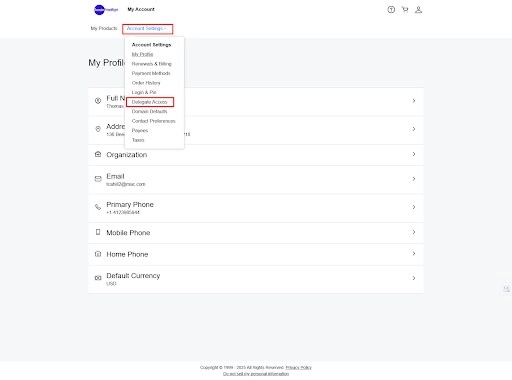
- Select Account Settings and click on Delegate Access.
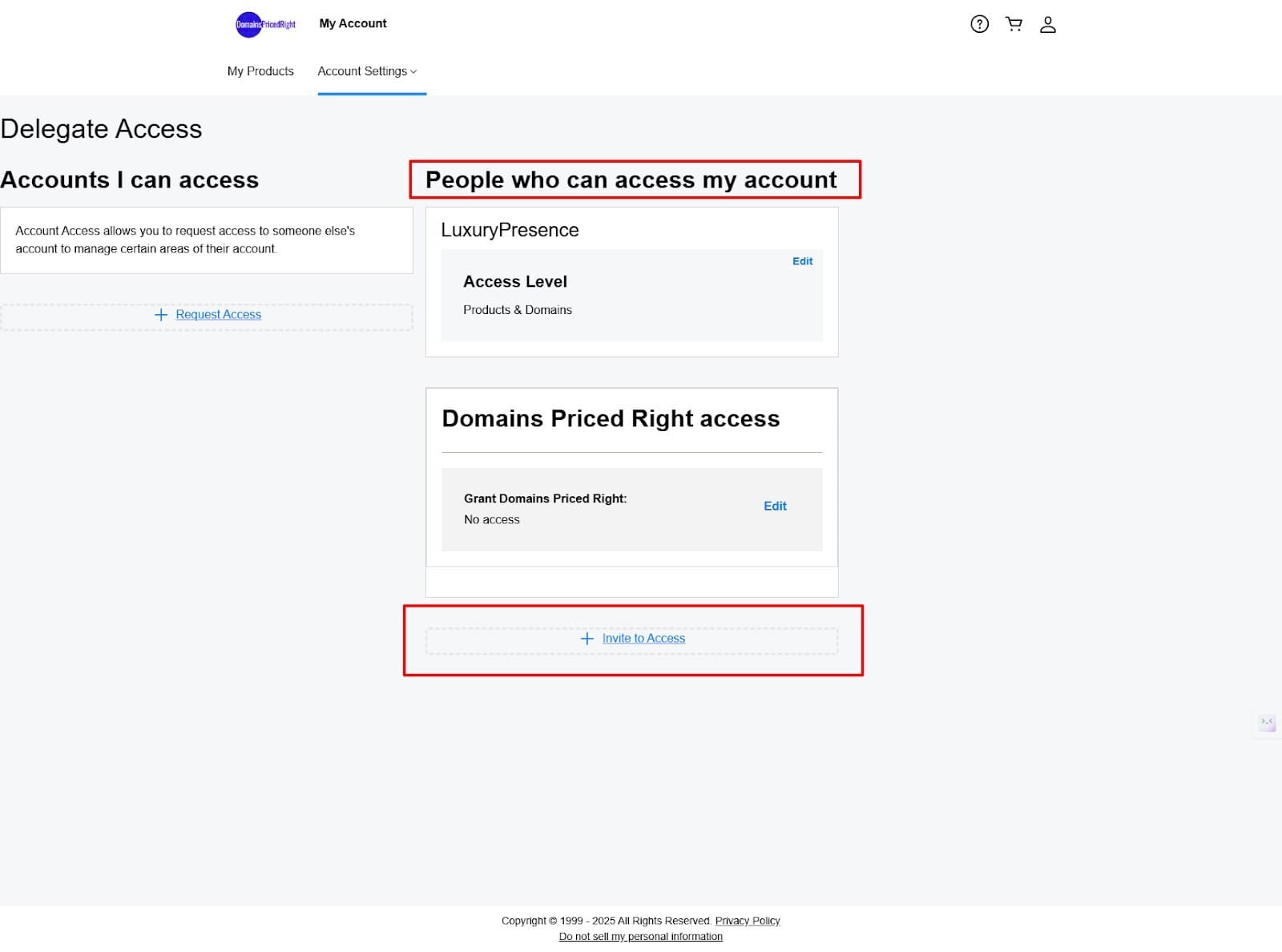
- Under People who can access my account click on Invite to Access.
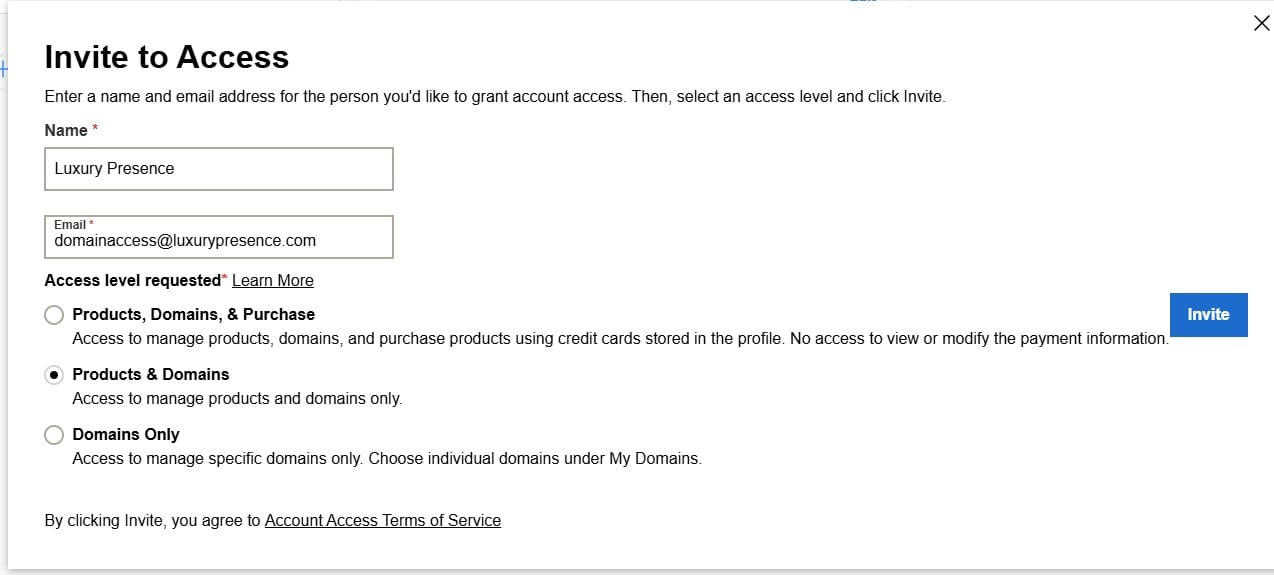
- In the name field enter: WP Sprints
- In the email field enter: support@wpsprints.com
- Under Access Level Requested specify Products & Domains and click Invite.